




The harness
One architecture, six boilerplates
Every template npx elegant copies is the same three-layer shell over a different
framework and store. Swap React for Angular, or Redux for Pinia, and the folder layout, the naming
and the tests stay the same. The architecture is the thing you learn, not the framework.

UI
Atoms, molecules, organisms, skeletons and templates, each with a story, a style, a type and a test. Theming and responsive layout live here.
Explore the UI layer →
Server
Pages, containers and the app shell: routing, SSR and SSG, proxies and headers. Everything between the browser and the UI.
Explore the server layer →
State
Actions, reducers, selectors and operations in one folder per feature, with Redux, Redux Toolkit, Saga, NgRx or Pinia behind the same shape.
Explore the state layer →Why three layers
UI and UX mean different things to different people
A designer, a developer and an enterprise each split the same work a different way. The harness splits the code the way all three already think about it.
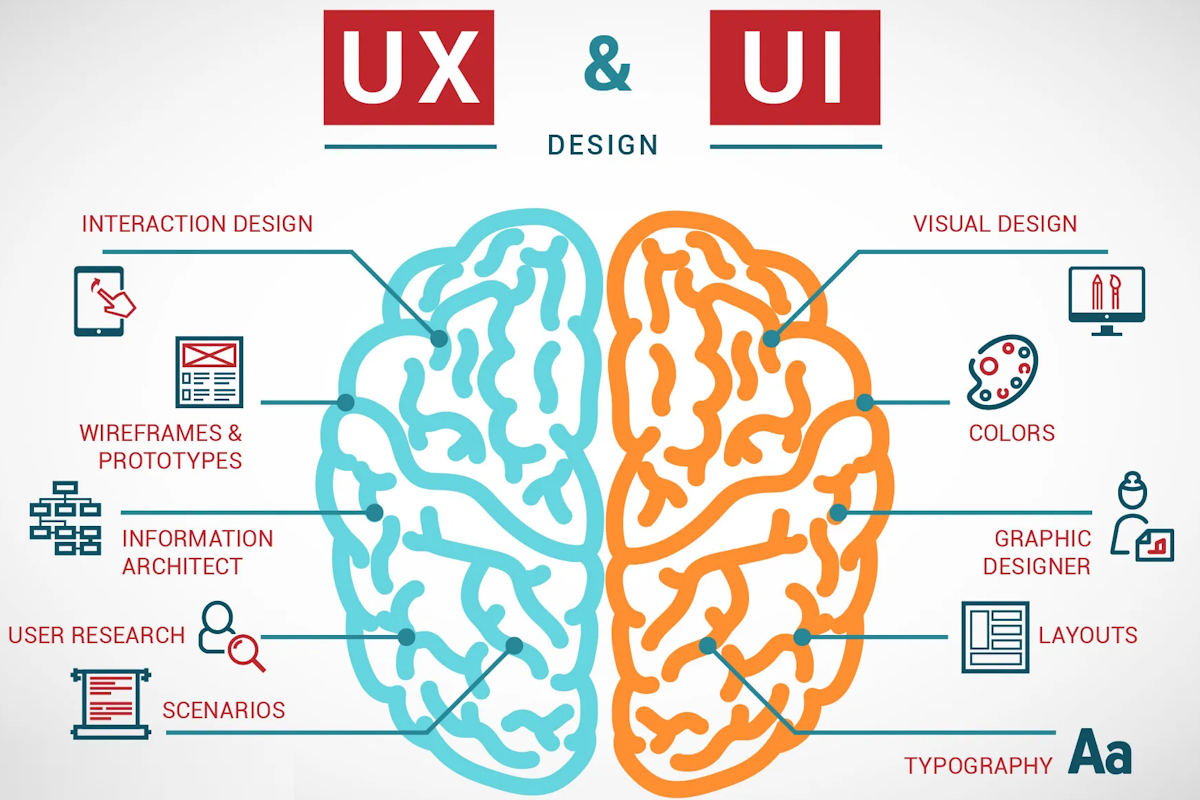
Designer's perspective
UX handles analytical work like research and wireframes, while UI focuses on visual design and aesthetics.
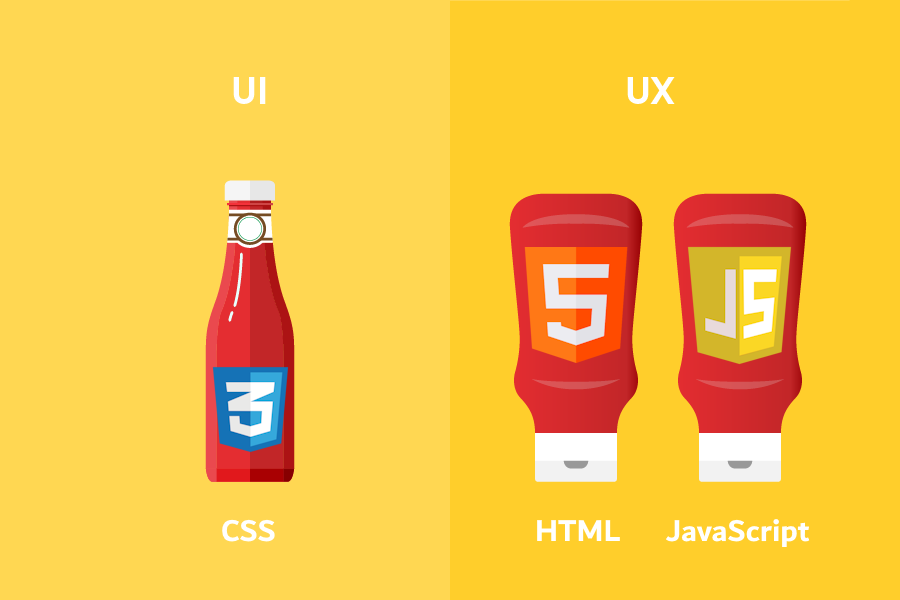
Developer's perspective
UX uses HTML and JavaScript for behaviour, while UI relies on CSS for visual presentation.
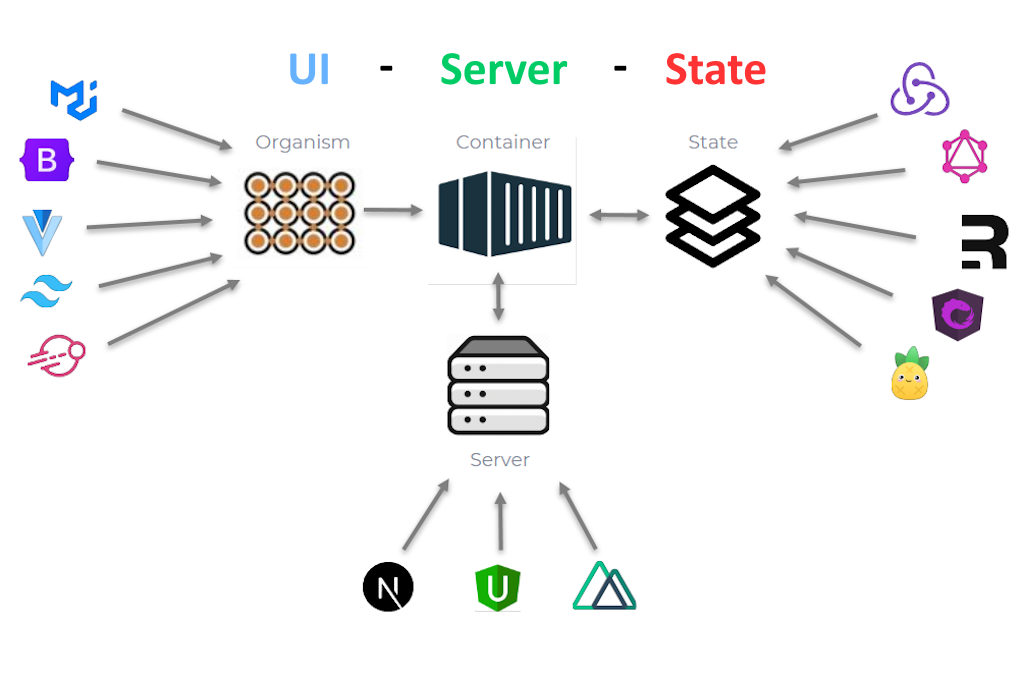
Enterprise perspective
Frontend architecture combines the UI layer, web server operations and state management into one application.
How it is built
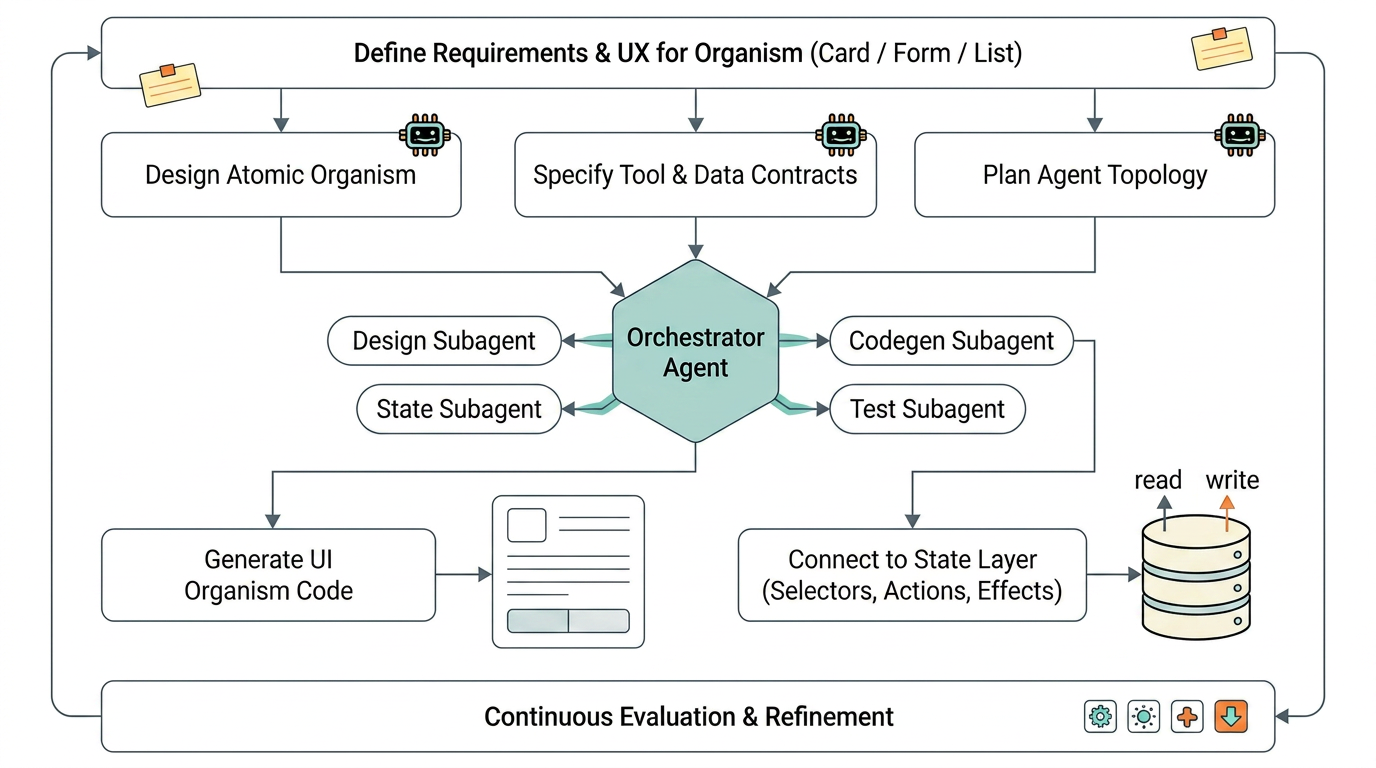
From prompt to reviewed code
The harness is built for an AI-assisted lifecycle: describe the component, generate it into the atomic layer it belongs to, run the tests and Storybook that came with it, then review. The CLI reference lists every generator.








































Try it
Answer a question right now
No account, no setup. Edit the starter and press Run. The same tests grade you here and in every question.
Workspace
Edit the module below and run the question's tests. Press Ctrl+Enter (or Cmd+Enter on a Mac) to run from the editor. Your draft is kept in this browser.
Take it with you
Read it as a book
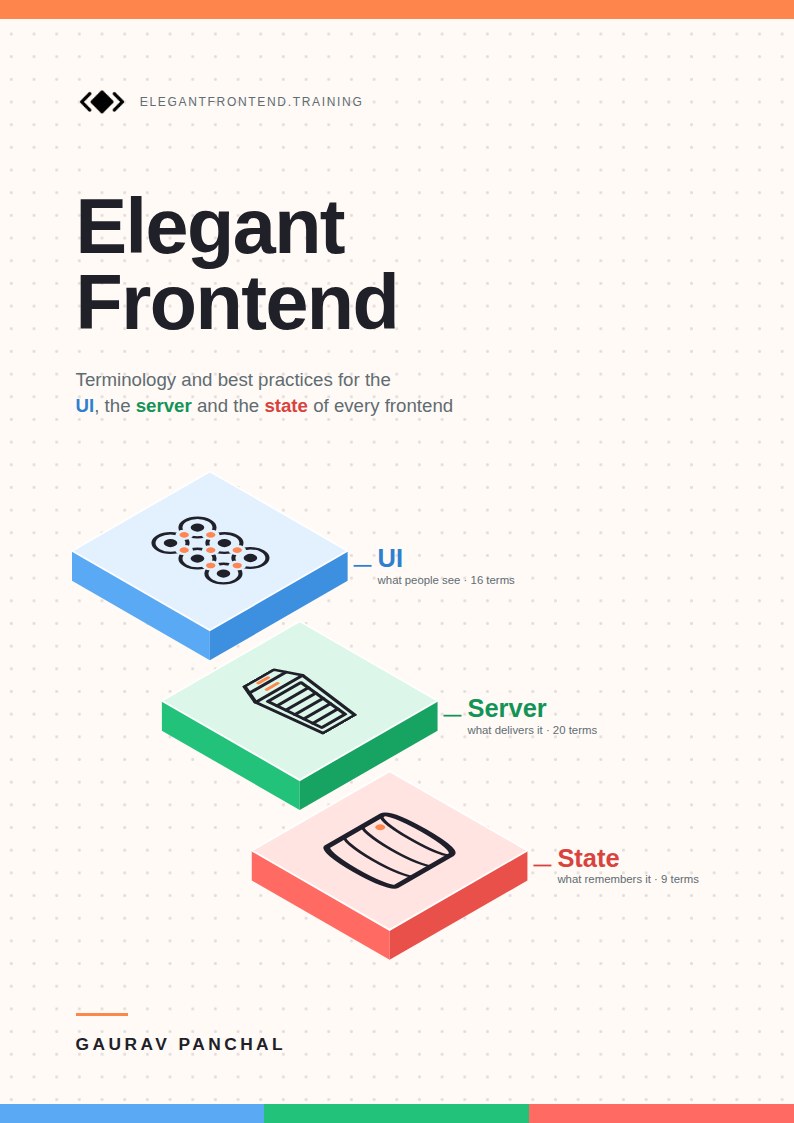
All three sides, every term and its best practices, in one PDF you can read offline. The book page lists every chapter.
The book · free PDF
Elegant Frontend
Every term on this site and its best practices in one book: what it is, a worked example, the common mistakes and the quality gates, in 45 chapters.
-
 Part I: The UI Side16 terms
-
 Part II: The Server Side20 terms
-
Part III: The State Side9 terms
Keep going
Where to go from here
Pick the surface that matches how you like to study, or read the full glossary first.
Free courses
Four short courses: the UI, State and Server terminology, and driving coding agents with Agent Skills.
Your dashboard
Questions solved by layer and format, courses, plans, terms mastered and your last twelve weeks.
Question bank
Filter by format, layer and topic, and track what you have finished.
Study plans
Time-boxed schedules — one week, one month, three months — built from the bank.
Curated lists
Ordered "do these first" sets — no schedule, just the order worth doing them in.
Playbooks
Long reads on how to approach each kind of interview round.
Company guides
The loop each company runs, and the questions that map to each round.
Your account
Keep progress on this device, or sign in to carry it to another browser.