

Folder structure should follow architecture, not file type
The instinct to group files by type — all components in /components, all styles in
/styles, all tests in /tests — feels tidy and ages badly. It optimises for a
question nobody asks (“show me every component”) and pessimises the one everyone asks
(“show me everything about the checkout feature”), which is now scattered across four
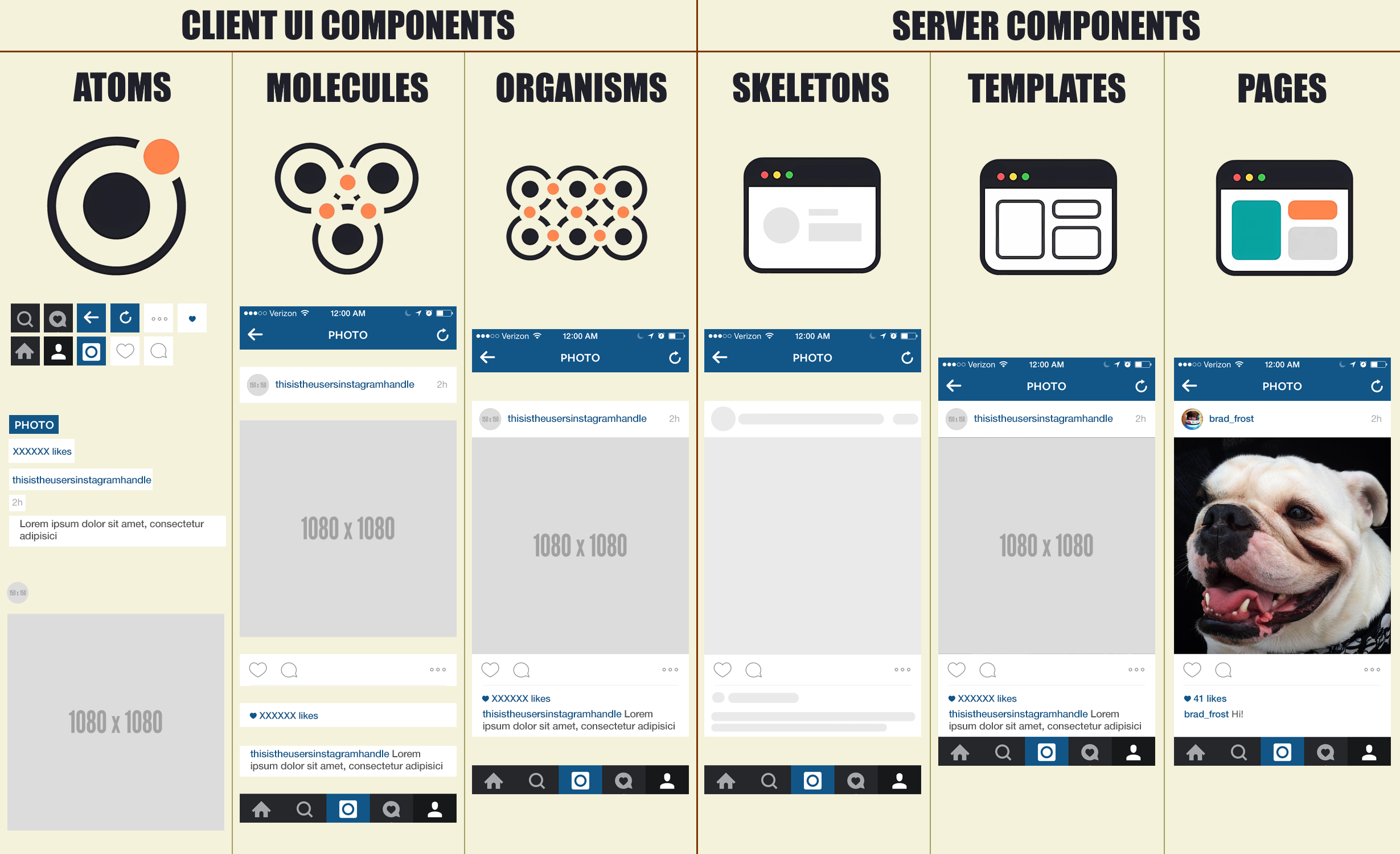
folders. A folder structure that instead mirrors your architecture — atoms,
molecules, organisms, containers, state — turns the directory tree into documentation:
a new reader can infer how the app is built just by expanding folders. Structure is a
message to the next person, and type-grouping sends the wrong one.
By-type folders hide the architecture
When files are grouped by extension, the directory tree tells you the language, not
the design. You cannot see from /components which components are atoms and which are
feature organisms, which are pure and which fetch — the very distinctions that matter
are invisible:
src/
  components/   Button, Cart, UserCard, Header, ProductGrid…  (atoms? organisms? who fetches?)
  styles/       Button.css, Cart.css, …
  tests/        Button.test.js, …
# to understand Cart, open three folders; to know if Cart may fetch, open the file
By-architecture folders are documentation
Group by the architecture instead and the tree answers design questions on sight. The
layer a file lives in tells you its rules — an ui/atoms/ file is pure and takes
props; a containers/ file is where data enters; state/ holds reducers and
selectors:
src/
  ui/
    atoms/       Button.jsx      (pure, props only — the folder implies the rule)
    molecules/   FormField.jsx
    organisms/   ProductGrid.jsx (still no fetch — it's under ui/)
  containers/    CartContainer.jsx (the only place allowed to touch the store)
  state/         cart.js, selectors.js
  lib/           formatMoney.js  (pure helpers)
A new engineer reads this tree and knows, before opening a file, that an organism does not fetch and a container does — because the structure is the architecture.
Colocate what changes together
The deeper principle is colocation: things that change together should live together. A component’s markup, its styles, its stories, and its test are one unit of change, so they belong in one folder, not scattered by type across the tree:
ui/molecules/FormField/
  FormField.jsx
  FormField.style.css
  FormField.stories.jsx
  FormField.test.jsx      # everything about FormField, in one place
Now editing FormField is opening one folder, and the by-type sprawl is gone.
Structure by architecture and colocate by feature and your tree becomes a map a
newcomer can navigate without a guide — and the map stays honest, because the folder a
file sits in declares the rules it must follow. The atom-boundaries and
presentational-vs-container exercises are exactly about placing a component on this
map and honouring the rule its location implies.