

UI System Architecture
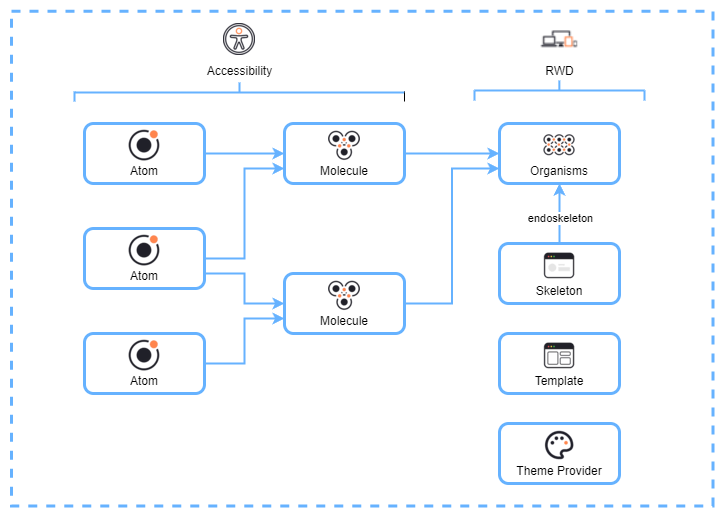
This diagram visually represents how UI components are organized in Atomic Design:
- Atoms
- The smallest building blocks (e.g., buttons, inputs).
- Accessible and reusable.
- Molecules
- Created by combining atoms to form more complex elements (e.g., search bars or labeled inputs).
- Organisms
- Larger, functional components formed by combining molecules (e.g., a header with navigation links).
- Skeleton
- Placeholder UI used during loading states to improve user experience.
- Template
- Defines the structure of pages by arranging organisms in a layout.
- Theme Provider
- Ensures consistent styling and theming across the application.
Key Features Highlighted
- Accessibility: Ensures all components are usable by diverse users, including those with disabilities.
- Responsive Web Design (RWD): Guarantees components adapt to different screen sizes for optimal user experience.
- Endoskeleton: Refers to placeholder UI components used during loading states.
This architecture promotes reusability, consistency, and scalability in frontend development while maintaining accessibility and responsiveness.